


Subscription Billing Glossary
Last updated: October 2026
From Catalog to Cash
Accounts and tenants
- Account
 Kill Bill
 -
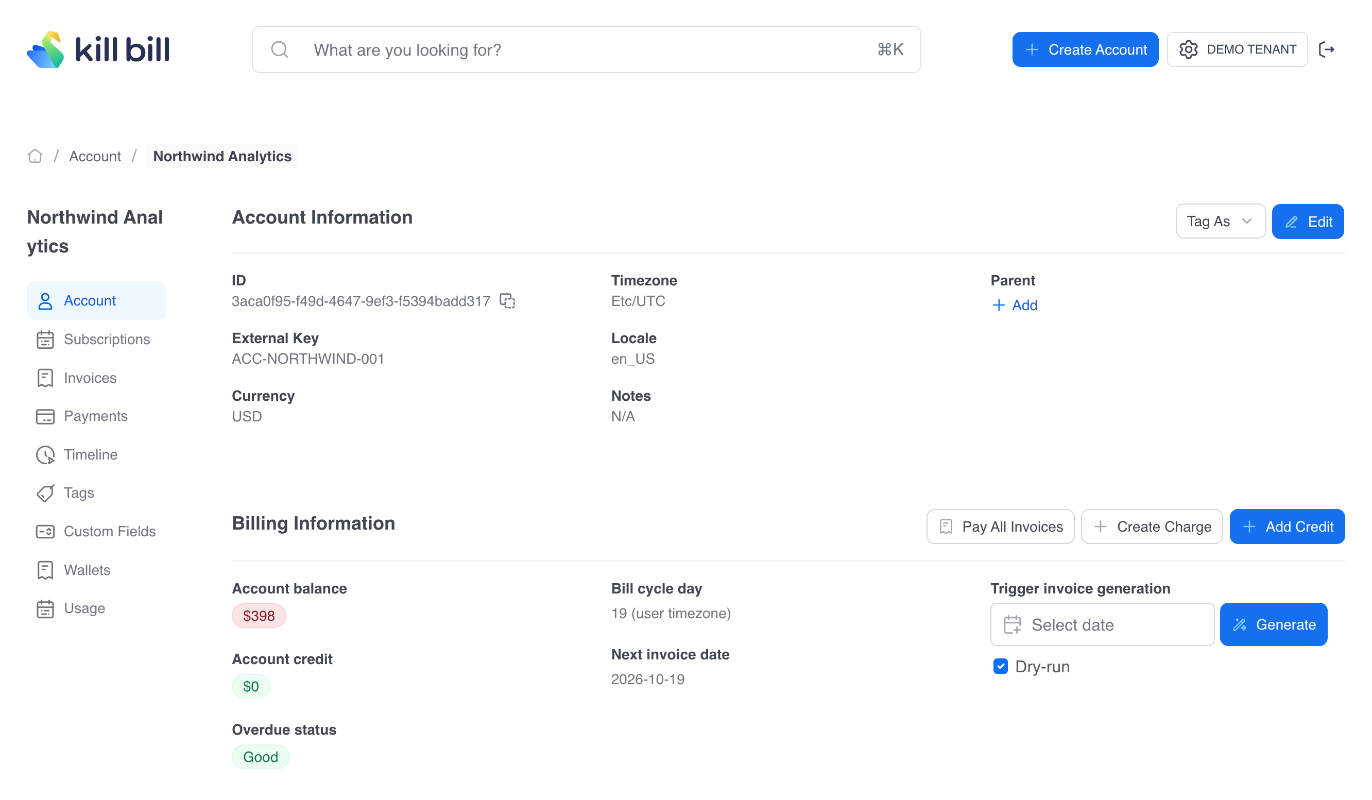
The customer record that subscriptions, invoices and payments belong to.
In Kill Bill: An account holds the customer details, a currency, a time zone and a default payment method. Everything billed in Kill Bill hangs off an account.
Subscription guide → - TenantKill Bill
-
An isolated instance of the billing system, so one deployment can serve several businesses, brands or environments.
In Kill Bill: A single Kill Bill server and database can run several tenants. Each tenant has its own API credentials, catalog, overdue rules and data.
Tenants and users → - Hierarchical accountsKill Bill
-
Child accounts linked to a parent account that pays their invoices.
In Kill Bill: A child account can delegate payment to its parent. The parent then receives one summary invoice per day. The docs describe this feature as Beta.
Hierarchical accounts → - TagsKill Bill
-
Labels attached to billing records, to group them or to change how the system treats them.
In Kill Bill: System tags change behaviour, for example AUTO_PAY_OFF, AUTO_INVOICING_OFF or OVERDUE_ENFORCEMENT_OFF on an account, or WRITTEN_OFF on an invoice. User tags are labels the system does not interpret.
Kill Bill glossary → - Custom fieldsKill Bill
-
Your own key and value data attached to billing records.
In Kill Bill: Custom fields can be attached to accounts, subscriptions, invoices and other objects, and read by plugins or your own applications.
Kill Bill glossary →
Catalog and pricing
- CatalogKill Bill
-
The configuration that defines what you sell, at what price and on what terms.
In Kill Bill: The catalog is usually an XML file, versioned over time, with products, plans, price lists and the rules for plan changes. It can also come from a catalog plugin. Aviate adds a catalog editor.
Catalog → - ProductKill Bill
-
The thing the customer is buying.
In Kill Bill: A product has a category: BASE, ADD_ON or STANDALONE.
Catalog → - PlanKill Bill
-
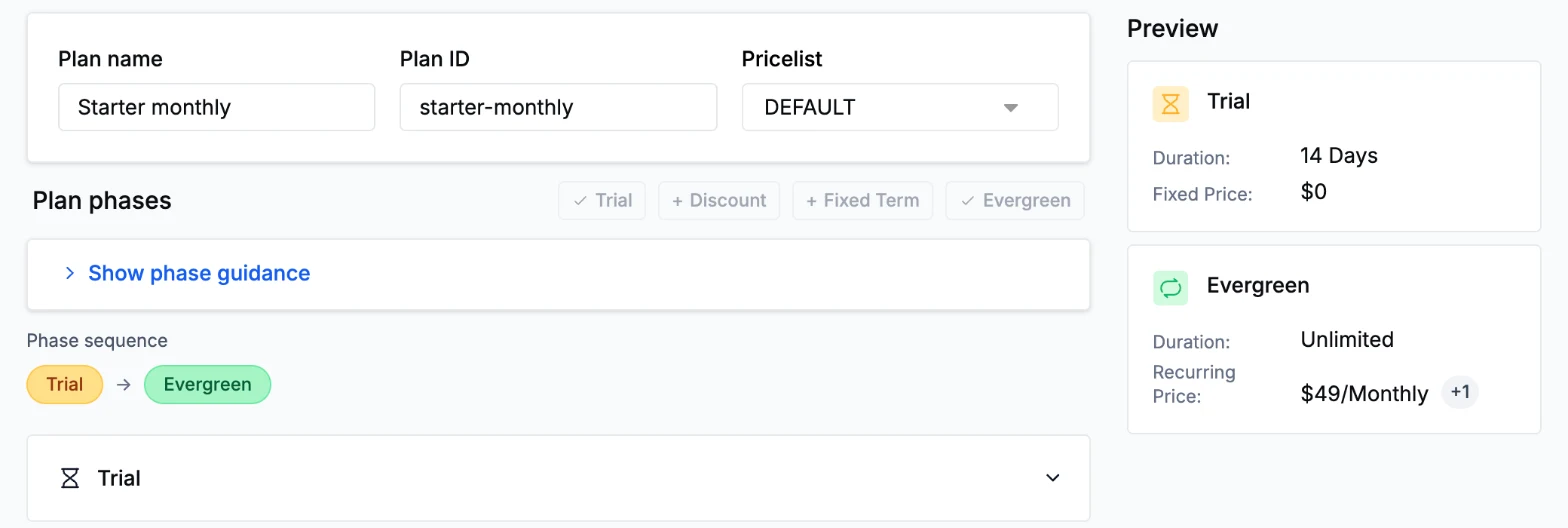
The terms on which a product is sold: price, billing period and phases.
In Kill Bill: Each plan refers to one product and has one or more phases.
Catalog → - Price listKill Bill
-
A named set of plans, often used for special or promotional pricing.
In Kill Bill: There is always a default price list. Catalog rules decide whether a customer stays on a special price list when they change plans.
Catalog → - Plan phaseKill Bill
-
A period inside a plan with its own pricing, such as a free trial before regular billing.
In Kill Bill: Phase types are TRIAL, DISCOUNT, FIXEDTERM and EVERGREEN. A plan can chain several phases, for example a 14-day trial followed by an evergreen monthly phase.
Plan phases → - Billing periodKill Bill
-
How often a recurring charge is billed.
In Kill Bill: Supported periods range from DAILY and WEEKLY to MONTHLY, QUARTERLY, ANNUAL and BIENNIAL, plus NO_BILLING_PERIOD for one-off charges.
Billing periods → - Add-onKill Bill
-
An optional extra bought on top of a base subscription.
In Kill Bill: An add-on is a product with the ADD_ON category, attached to a base subscription. Its billing can follow the base plan.
Add-ons →
Subscriptions
- SubscriptionKill Bill
-
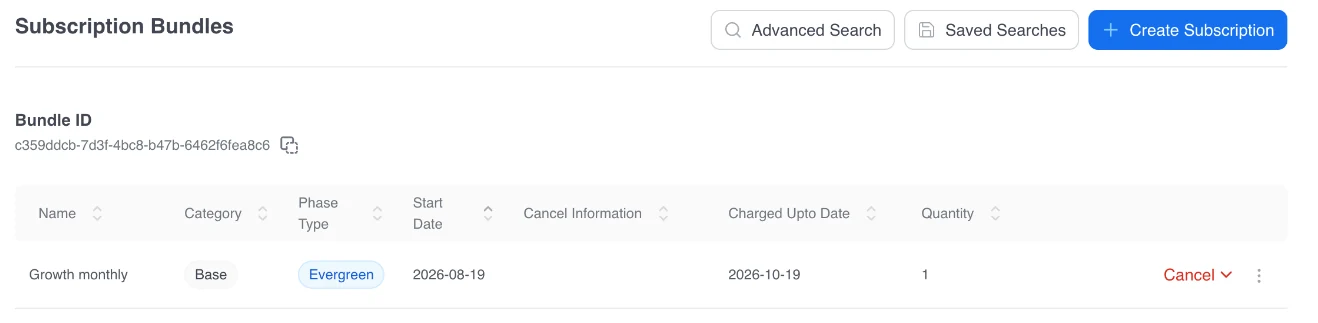
An ongoing agreement to buy a product on set terms.
In Kill Bill: A subscription links an account, a plan and a start date. Kill Bill tracks entitlement (may the customer use the service?) and billing separately, so they can follow different dates.
Subscription guide → - BundleKill Bill
-
A group of subscriptions that belong to the same service for one customer.
In Kill Bill: A bundle has at most one base subscription and can have several add-ons. An account can have several bundles.
Bundles → - Billing cycle day (BCD)Kill Bill
-
The day of the month on which a customer is billed.
In Kill Bill: The BCD applies to monthly-based billing periods. When the day does not exist in a month, such as the 31st, billing falls on the last day of that month.
Billing cycle day → - ProrationKill Bill
-
Charging or crediting part of a period when a plan changes or is cancelled mid-cycle.
In Kill Bill: On an immediate plan change, Kill Bill credits the unused part of the old plan with a REPAIR_ADJ item and charges the new plan from the change date. If the result is negative, the difference becomes account credit.
Invoice items → - Change policy and alignmentKill Bill
-
The rules that decide when a plan change takes effect and how billing dates line up.
In Kill Bill: A change can be IMMEDIATE, END_OF_TERM or not allowed. Alignment rules set whether billing follows the account, the subscription or the bundle, and how phases restart after a change.
Plan alignment →
Usage and prepaid credits

- Usage-based billingKill Bill
-
Charging for measured consumption rather than a flat fee.
In Kill Bill: Usage is billed in arrears. Consumable usage is priced by units consumed, in tiers or blocks. Capacity usage is priced by upper bounds. Usage appears on invoices as USAGE items.
Usage billing tutorial → - Metering
 Aviate
 -
Collecting raw usage events and aggregating them for billing.
In Kill Bill: Aviate Metering ingests usage events against billing meters, aggregates them and turns them into USAGE invoice items. In open source Kill Bill, you send usage that is already aggregated.
Aviate Metering → - Wallet (prepaid credits)Aviate
-
A prepaid balance of credits that usage draws down.
In Kill Bill: Aviate Wallet keeps a credit balance per account, with free or paid credits, automatic top-off below a threshold, expiration and a transaction ledger.
Aviate Wallet →
Invoicing and tax
- InvoiceKill Bill
-
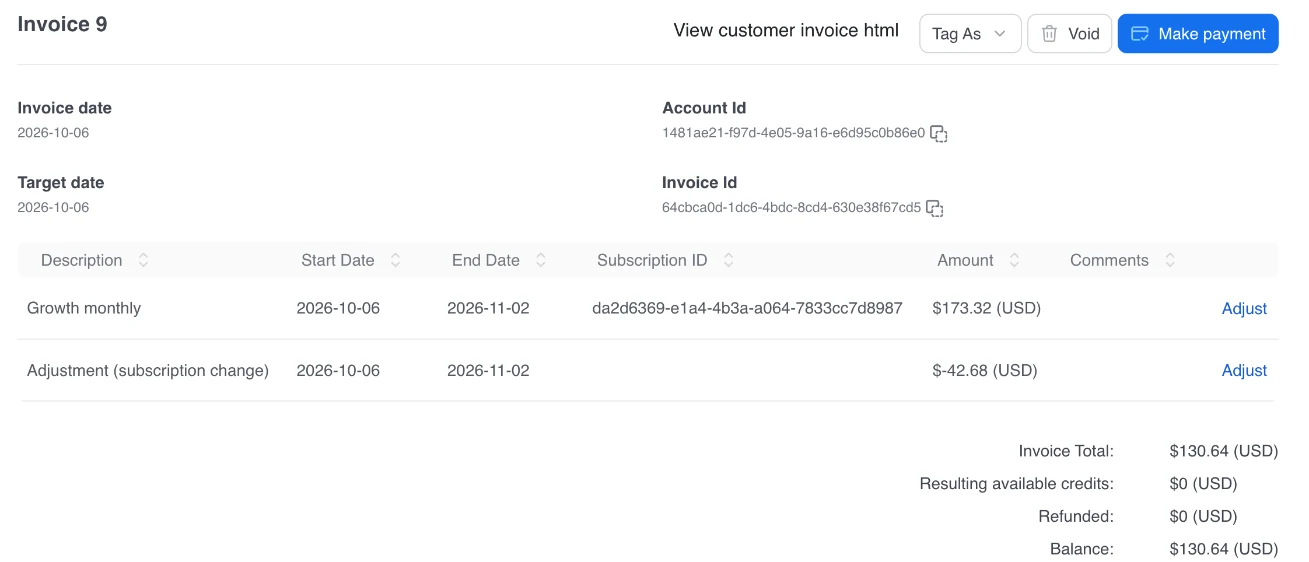
The bill for a period, listing charges, credits and taxes.
In Kill Bill: An invoice is DRAFT, COMMITTED or VOID. A committed invoice cannot be changed, and its balance counts in the account balance. Later changes are added as new items.
Invoicing → - Invoice itemKill Bill
-
One line on an invoice.
In Kill Bill: Item types include RECURRING, FIXED, USAGE, EXTERNAL_CHARGE and TAX for charges, and ITEM_ADJ, CREDIT_ADJ, REPAIR_ADJ and CBA_ADJ for adjustments and credits.
Invoice items → - Draft invoiceKill Bill
-
An invoice that is not final yet, so items can still be added.
In Kill Bill: A draft invoice has no effect on the account balance until it is committed. Committing it makes it final.
Invoice examples → - Dry runKill Bill
-
A preview of an invoice that is not saved.
In Kill Bill: A dry run shows the next invoice, the invoice for a given date, or the effect of a planned plan change, with no effect on the system.
Invoice dry run → - Account creditKill Bill
-
Money owed to the customer, used on future invoices.
In Kill Bill: When an invoice would go negative, Kill Bill adds a credit balance adjustment (CBA) and applies the credit to the next invoices. Credits can also be added by hand.
Invoice examples → - Invoice item adjustmentKill Bill
-
Reducing or cancelling one charge on an existing invoice.
In Kill Bill: An adjustment adds a negative ITEM_ADJ line instead of editing the original line, so the history stays readable.
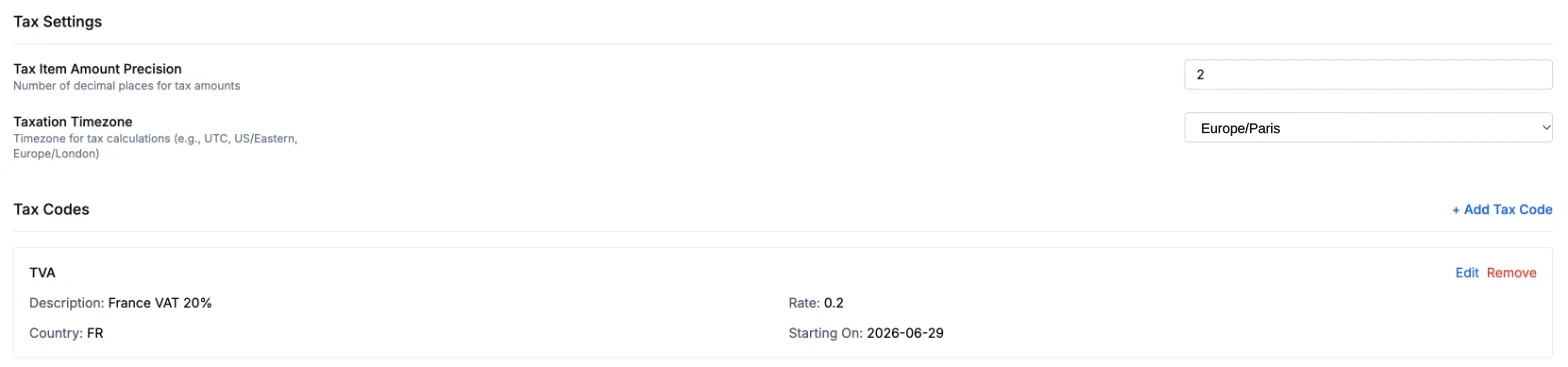
Invoice examples → - Tax calculationKill Bill
-
Adding sales tax, VAT or GST to invoices.
In Kill Bill: Tax plugins, such as Avalara AvaTax, Vertex and Kintsugi, add TAX items when the invoice is generated. Aviate Tax applies rates you set per product and country, without a third-party engine.
Aviate Tax → - CouponAviate
-
A code a customer redeems for a discount.
In Kill Bill: Aviate Coupons offer fixed or percentage discounts, with a usage limit, an expiration date and optional plan restrictions. The discount appears as a negative line on the invoice.
Aviate Coupons →
Payments and collections
 Stripe
 Braintree
- PaymentKill Bill
-
Collecting money from a customer through a payment method.
In Kill Bill: A payment is made of one or more transactions. By default, one payment pays one invoice in full, through the payment plugin of your gateway.
Payment guide → - Payment methodKill Bill
-
The stored means of payment, such as a card, a bank account or a wallet.
In Kill Bill: Automatic payments use the account default payment method. A built-in external payment method records payments made outside Kill Bill, such as a wire transfer or a check.
Payment guide → - Payment transactionKill Bill
-
One operation within a payment.
In Kill Bill: Transaction types are AUTHORIZE, CAPTURE, PURCHASE, VOID, REFUND, CREDIT and CHARGEBACK.
Payment guide → - Payment retriesKill Bill
-
Trying a failed payment again on a schedule.
In Kill Bill: By default, a failed invoice payment is retried three times, 8 days apart. The schedule is configurable, and payment control plugins can set their own retry dates.
Payment guide → - Dunning and overdueKill Bill
-
What happens to an account as unpaid invoices age: warnings, blocked changes, paused service or cancellation.
In Kill Bill: Overdue states are set per tenant in an overdue configuration, with conditions such as days since the oldest unpaid invoice. Each state can block changes, pause the service or cancel subscriptions. By default, nothing happens until you configure it.
Overdue guide →
Platform
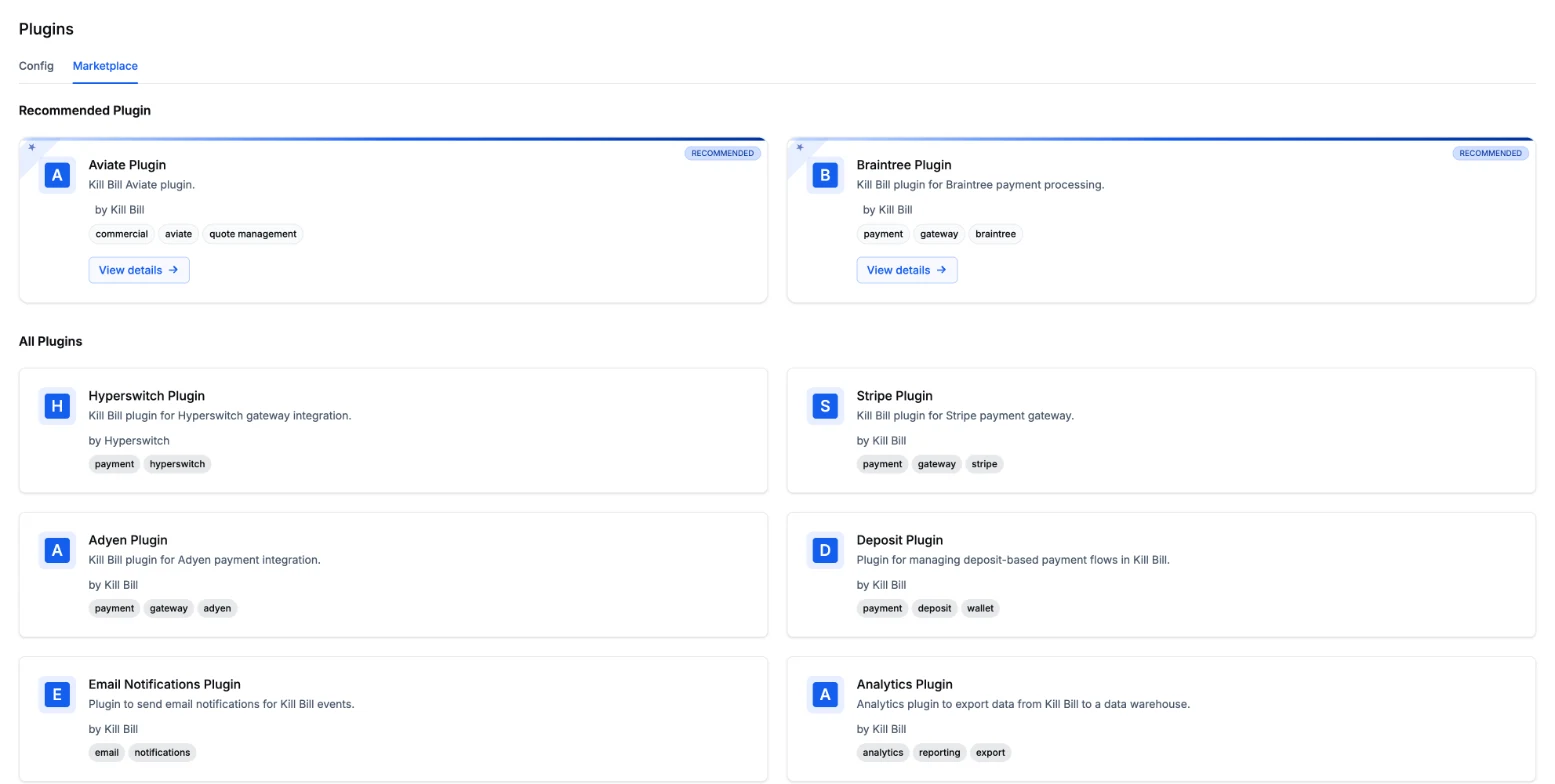
- PluginKill Bill
-
Code that extends the billing system or connects it to another service.
In Kill Bill: Plugins connect payment gateways, compute tax, control payments, change invoices or react to events, without changing the Kill Bill core.
Plugin introduction → - Push notificationKill Bill
-
A webhook that tells your systems when a billing event happens.
In Kill Bill: You register a callback URL per tenant. Kill Bill posts each event as JSON and retries if your endpoint does not answer.
Push notifications → - Audit logKill Bill
-
A record of who changed what, and when.
In Kill Bill: Every change made through the API is recorded with who made it and when. Audit records can be read through the API and in Kaui.
Kill Bill glossary → - Revenue recognitionAviate, preview
-
Spreading revenue over the periods in which it is earned, for example under ASC 606.
In Kill Bill: Revenue recognition is not part of open source Kill Bill. Aviate has a revenue recognition module in preview, available to selected customers.
Aviate revenue recognition →
Proration, Line by Line
| Line | Type | Amount (USD) |
|---|---|---|
| Starter plan, unused days 16 to 30 | REPAIR_ADJ | -50.00 |
| Business plan, days 16 to 30 | RECURRING | 150.00 |
| Total | 100.00 |
Illustrative example. Starter costs 100 per period and Business 300; the customer upgrades on day 16 of 30. The unused Starter days are credited and the Business days are charged. Tax, when it applies, is added as its own TAX line.
Frequently Asked Questions

Go deeper in the documentation

Support

Kill Bill Community

Documentation
