

Short answer
What is Kaui?
Kaui (Kill Bill Admin User Interface) is the open source web admin UI of Kill Bill, free under the Apache 2.0 license. It talks to Kill Bill over HTTPS and uses the same users, roles and permissions. Support and finance teams use it to manage accounts, subscriptions, invoices, payments, refunds, credits and chargebacks. Administrators use it to configure tenants, upload catalogs, set overdue flows, manage users and install plugins.
- License
- Apache 2.0, free
- Built with
- Ruby on Rails engines, which you can extend with your own
- Runs as
- The killbill/kaui Docker image or a WAR file
 Docker
 Tomcat
 - Quick start
- Port 9090, user admin, password password
- Source
- GitHub
- Guide
- Kaui Guide

Users & Permissions
Manage back-office users, roles and permissions, with the same rules as the Kill Bill API.

Subscriptions
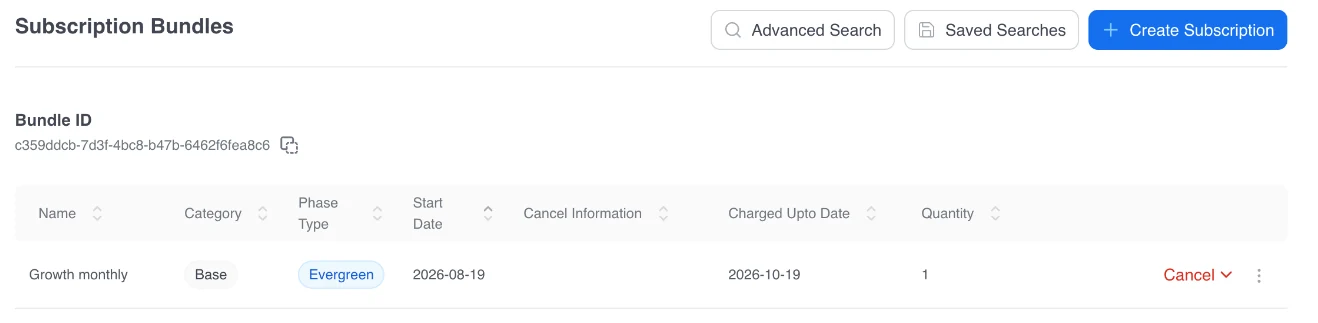
Add, change, pause, resume and cancel subscriptions, add add-ons and change the billing cycle day.

Customer Service Tasks
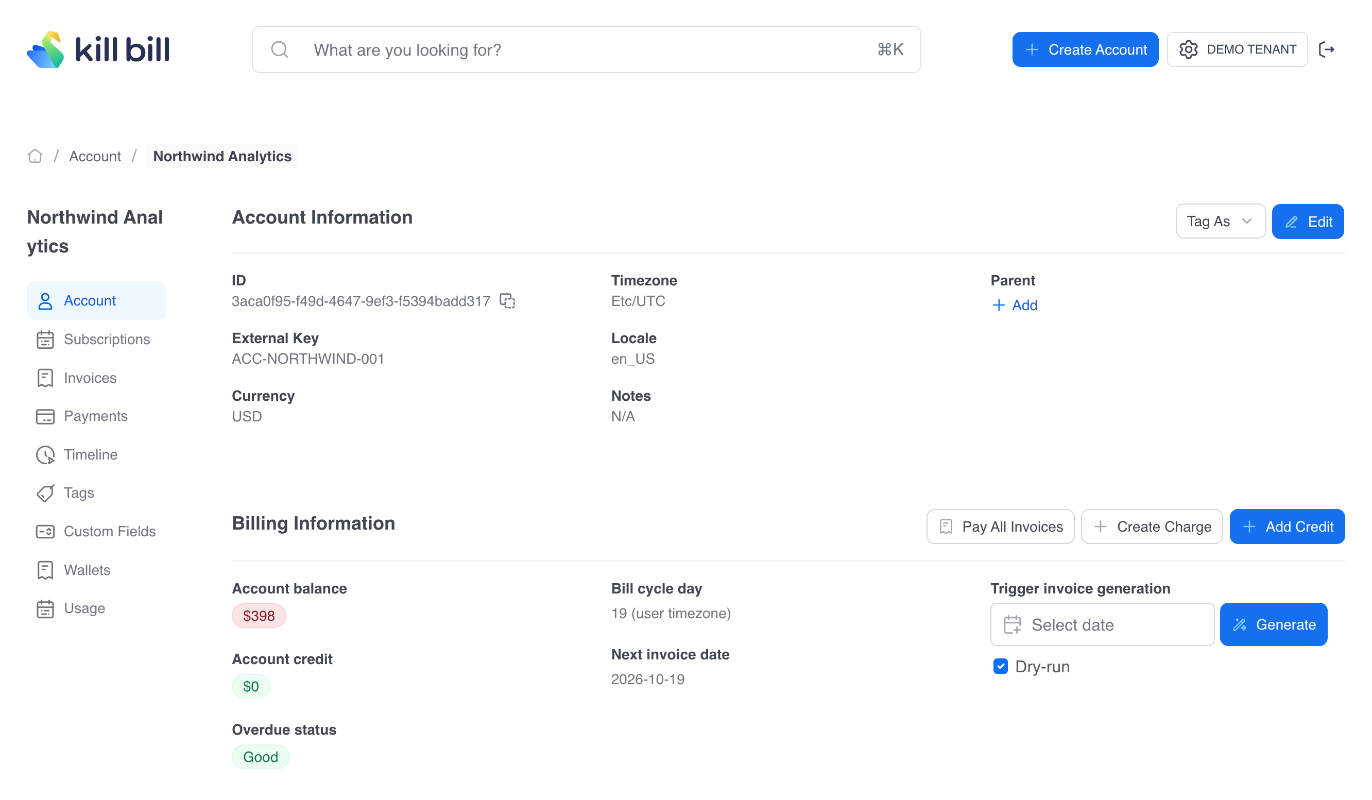
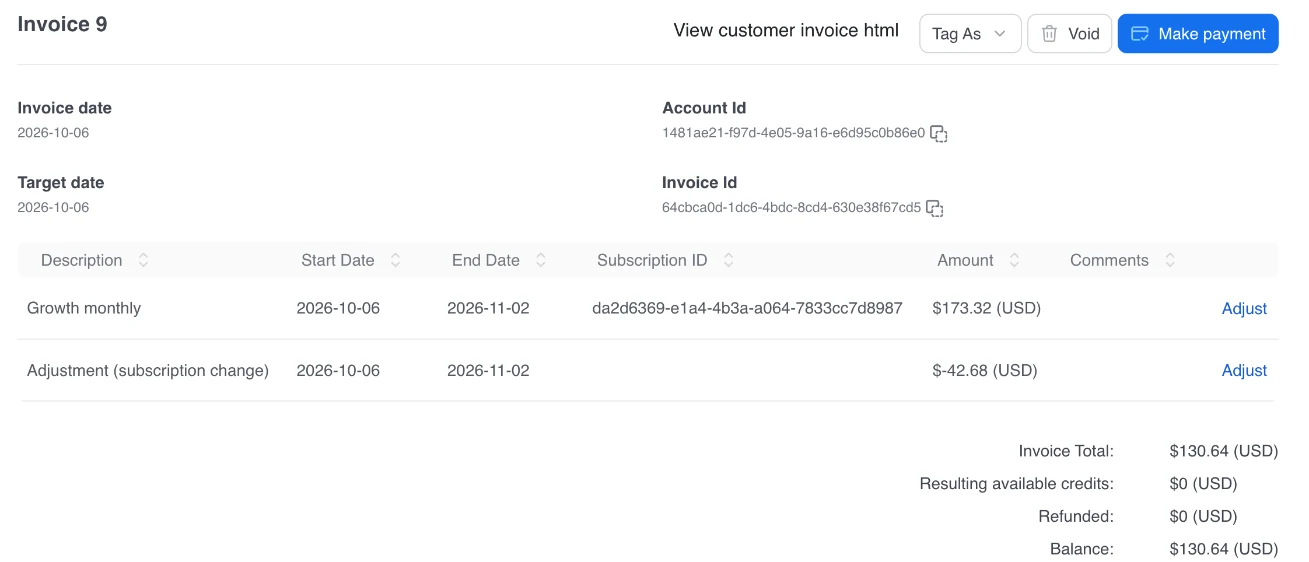
Check balances, add credits and charges, refund payments and record chargebacks.

Advanced Search
Find accounts, invoices, payments, subscriptions and other Kill Bill objects.

Custom Metadata
Label and organize objects with tags and custom fields.

Reports
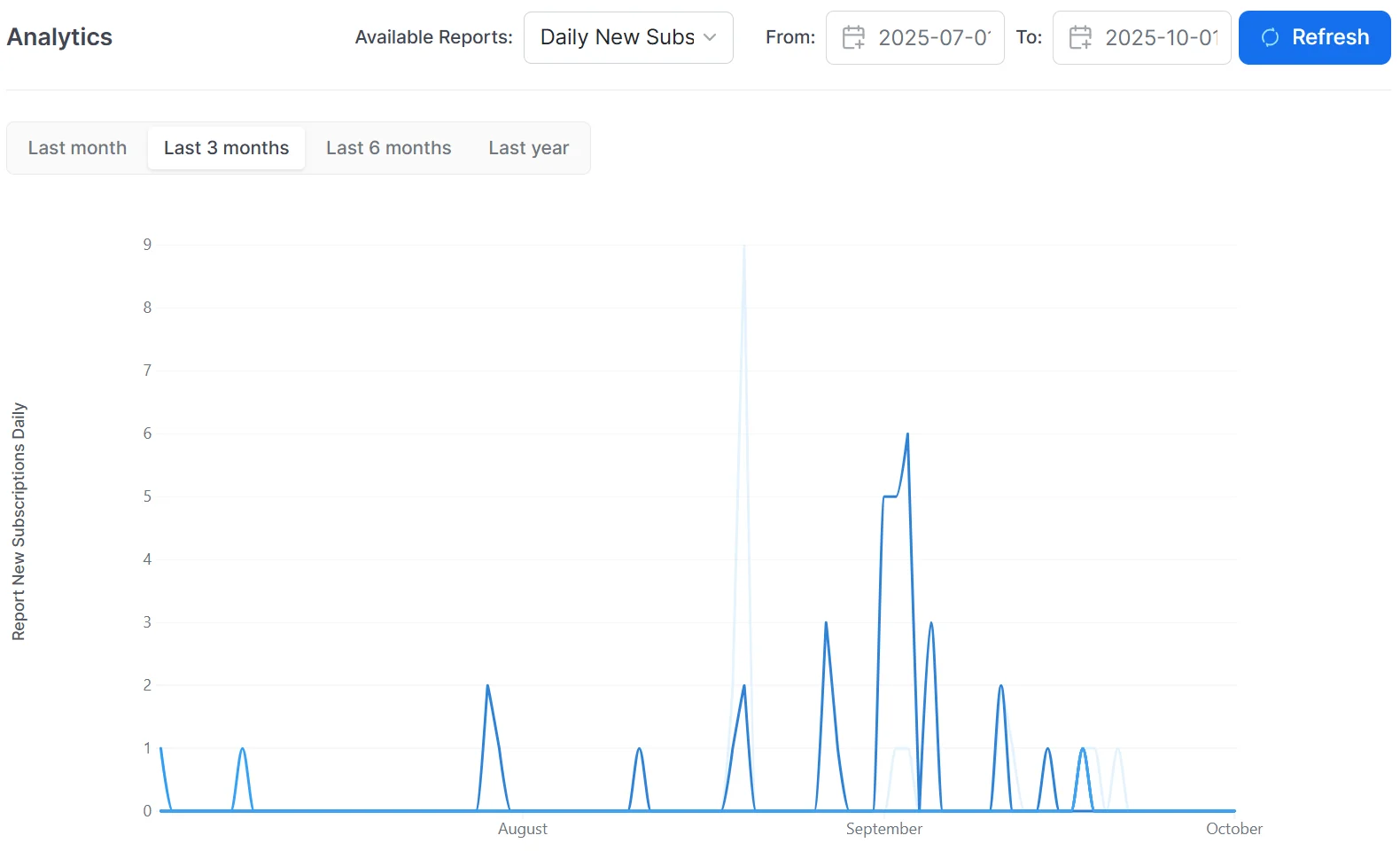
View and configure reports with the analytics plugin, and create your own.

System Management
Configure tenants, upload catalogs, set overdue flows and install plugins.

Audit and History Tracking
A timeline of the events on each account, and audit logs of what changed.
Screenshots
Kaui in Four Screens
Who Uses Kaui
What Each Team Does in Kaui
| Team | In Kaui |
|---|---|
| Customer support | Find an account, change or cancel a subscription, add a credit, refund a payment |
| Finance | Pay, void or write off invoices, record chargebacks and external payments, view reports |
| Operations and admins | Configure tenants, upload the catalog, set overdue flows, manage users and roles, install plugins |
| Developers and QA | Test flows, generate dry-run invoices, add test payment methods, read the account timeline |
| Product managers | Check plans and prices, follow subscriptions, read reports |
Kaui and Aviate
Kaui or Aviate?
Kaui comes free with Kill Bill. Aviate, the enterprise offering of Kill Bill, has its own interface with more features.
 Kaui Kaui |  Aviate Aviate | |
|---|---|---|
| Accounts, subscriptions, invoices, payments | Yes | Yes |
| Catalog | Upload an XML catalog or create simple plans | A catalog editor for plans, phases and prices |
| Coupons, prepaid credits, metering | Through custom plugins | Aviate Coupons, Aviate Wallet, Aviate Metering |
| Tax | AvaTax plugin screens | Aviate Tax: rates per country and per product |
| Operations | Tenants, users, plugins, reports | Adds Aviate Health |
| Support | Community, no SLA | Level 3 support from the engineers |
| Cost | Free | A fixed annual fee, never a share of revenue. Pricing |
FAQs
Kaui FAQ
What is Kaui?
Kaui (Kill Bill Admin User Interface) is the open source web admin UI of Kill Bill. Support, finance and operations teams use it to manage accounts, subscriptions, invoices and payments, and administrators use it to configure tenants, catalogs, users and plugins.
Is Kaui free?
Yes. Kaui is open source under the Apache 2.0 license, like Kill Bill. The open source version comes without support or SLA.
How do I install Kaui?
The Docker quick start on the Download page starts Kill Bill, Kaui and a MariaDB database with one docker-compose.yml file. Kaui then answers on port 9090. You can also deploy the Kaui WAR file from Maven Central in Tomcat.
What is the default Kaui login?
After the Docker quick start, log in with the user admin and the password password. Change it before any shared use.
Can I refund a payment in Kaui?
Yes. Open the payment details and refund all or part of the payment. You can also record a chargeback from the same page.
Can I control who does what in Kaui?
Yes. Kaui uses the Kill Bill users, roles and permissions, so a support agent can see accounts without being able to refund, for example. Users can come from the Kill Bill database, LDAP or Active Directory, Okta or Auth0.
Can I change the catalog in Kaui?
Kaui lets you upload an XML catalog, create simple plans, view the catalog as XML and download it. Aviate adds a catalog editor to create and change plans, phases and prices without editing XML.
Can I extend Kaui?
Yes. Kaui is built as Ruby on Rails engines, so you can mount your own engine, for example to add screens for your own plugin.
What is the difference between Kaui and Aviate?
Kaui is the free, open source admin UI of Kill Bill. Aviate, the enterprise offering of Kill Bill, has its own interface and adds a catalog editor, coupons, prepaid credits, metering, tax rates per country and health monitoring, plus Level 3 support, for a fixed annual fee.

See the operational side of Kill Bill.
Explore the live experience, or talk to us about how teams run billing operations on top of Kill Bill.

Support
Work directly with the Kill Bill core team

Kill Bill Community
For technical questions, start by asking the Community

Documentation
Organized product documentation library and API Reference

Customization
Work with experts for Kill Bill customization