


 Stripe
Payment integration
Kill Bill and Stripe
Run subscriptions and invoices in Kill Bill, and collect payments through Stripe. Payment details are collected with Stripe Checkout or Stripe Elements, and stay with Stripe. The plugin is open source and maintained by the Kill Bill team.
Last updated: October 2026
Short answer
Does Kill Bill work with Stripe?
Yes. The Stripe plugin connects Kill Bill to Stripe as a payment gateway. Your customers enter their card or bank details in Stripe Checkout, Kill Bill stores a reference to the payment method, then invoices the account and charges it through Stripe on each billing date. Failed payments follow Kill Bill's retry and overdue rules.
- Plugin
- Open source, Apache 2.0
- Maintained by
- The Kill Bill team
- Collect details with
- Stripe Checkout, Elements, tokens
- Payment methods
- Cards by default, SEPA Direct Debit as an option
- Operations
- Authorize, capture, purchase, void, refund
- Configuration
- Per tenant, keys can stay in environment variables
How it works
From Checkout to Recurring Charges
- 1Create a Checkout sessionYour app asks the plugin for a Stripe Checkout session for the Kill Bill account. Cards are allowed by default, SEPA Direct Debit on request.
- 2Collect payment detailsThe customer enters card or bank details on the Stripe page. Stripe validates and stores them.
- 3Add the payment methodKill Bill adds the payment method from the Checkout session and keeps a reference to it. Tokens and Stripe Elements work too.
- 4Invoice and chargeOn each billing date, Kill Bill invoices the account and charges the default payment method through Stripe.
- 5Retries and refundsFailed payments follow your retry schedule. Refunds and adjustments are made from Kaui or the API.
Who does what
Stripe Processes, Kill Bill Bills
Stripe collects and holds payment details and processes payments. Kill Bill decides what to charge and when, and keeps the billing records.
| Task | Stripe | Kill Bill |
|---|---|---|
| Payment details capture | Stripe Checkout | · |
| Card and bank details storage | Stripe | · |
| Payment processing | Stripe | · |
| Plans, subscriptions, proration | · | Kill Bill |
| Invoices, credits, tax lines | · | Kill Bill |
| When to charge, retries, overdue | · | Kill Bill |
| Refunds from an admin UI | · | Kaui |
| API keys per tenant | · | Kill Bill |
Install
Install from Aviate or Kaui
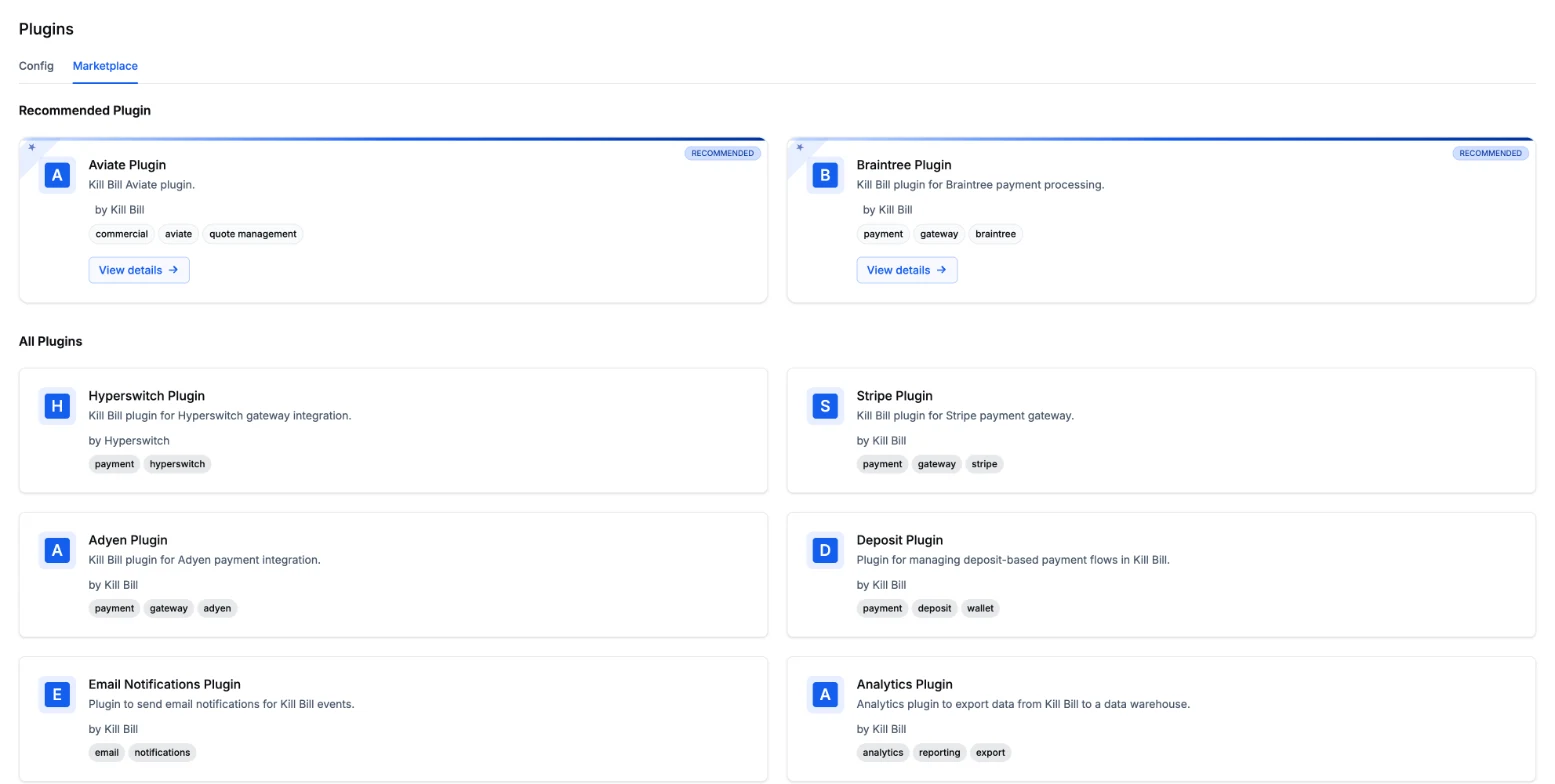
The Stripe plugin is listed in the Aviate plugin marketplace. It can also be installed with Kaui or the kpm command line tool.


FAQs
Frequently Asked Questions
Does Kill Bill integrate with Stripe?
Yes. The open source Stripe plugin, maintained by the Kill Bill team under the Apache 2.0 license, connects Kill Bill to Stripe as a payment gateway. Kill Bill runs subscriptions and invoices, and charges them through Stripe.
How are card details collected?
With Stripe Checkout, Stripe Elements, or Stripe tokens. Card details are entered on Stripe and stored by Stripe. Kill Bill keeps a reference to the payment method, not the card number.
Which payment methods does the Stripe plugin support?
Cards by default. SEPA Direct Debit can be enabled in the Checkout session. Other methods collected with Stripe Elements can be attached to the Kill Bill account.
Which payment operations are supported?
Authorize, capture, purchase, void and refund.
Can we keep our existing Stripe customers?
Yes. Set the Stripe customer ID in a custom field on the Kill Bill account, then refresh the account's payment methods. Kill Bill picks up the payment methods already stored in Stripe.
How are Stripe API keys stored?
In each tenant's plugin configuration. To keep secrets out of the database, the configuration can reference environment variables instead, with a different variable for each tenant.
Can I add a card directly in Kaui?
No. Stripe does not allow raw card details through its API by default, so cards are added through a Stripe Checkout session in setup mode or through Stripe Elements.
Does the Stripe plugin cost anything?
The plugin is open source and free. You need your own Stripe account, and Stripe's processing fees apply as agreed with Stripe.